Dark Mode for Amazon on Desktop, Without Losing the Product Photos
Amazon's website has no dark mode setting on desktop. An extension can darken it, but only if it knows to leave the product photography alone.
Amazon's desktop website has no dark mode setting. There is no toggle in your account settings and none in the site's own menus: the shopping app on Android and iOS can follow your phone's theme, but the site you open in a browser is white and stays white. If you want Amazon dark on a computer, it has to come from the browser.
That leaves two options, and one of them has a catch worth understanding before you pick.
The catch: Amazon is mostly photographs
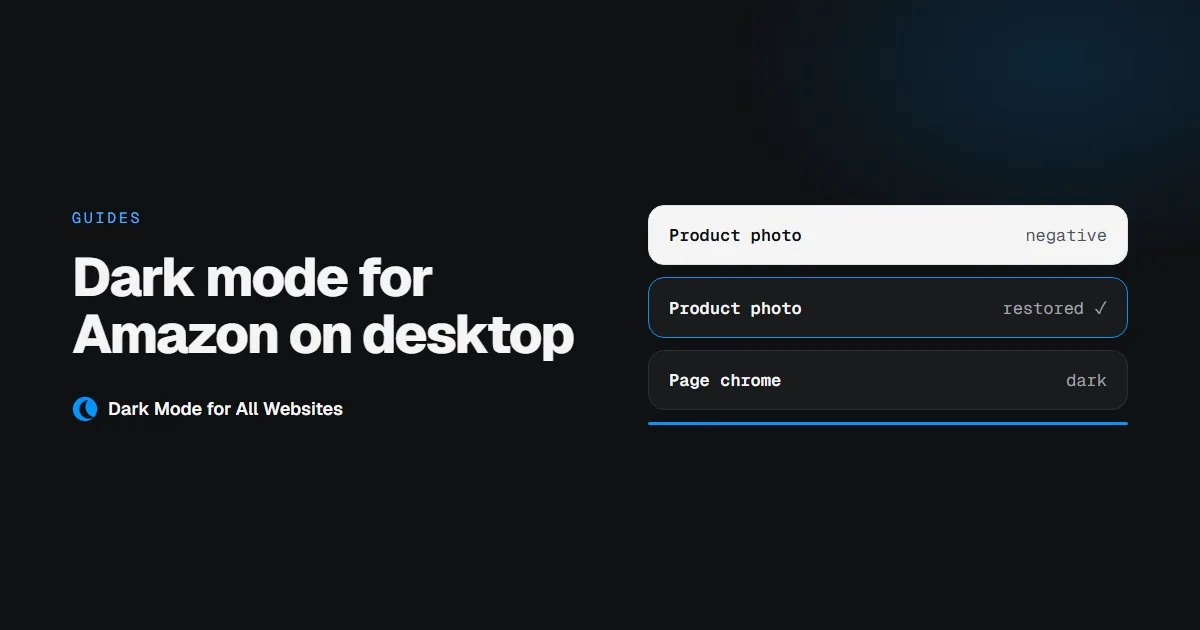
A dark mode extension darkens a page by inverting its colours. Done naively, that turns every image on the page into a negative. On a shopping site, the images are the page. A silver watch becomes a black smear. A white shirt turns charcoal. You end up with a page that is technically dark and useless for deciding what to buy.
So the question for Amazon is not "can this extension darken the page". Almost any of them can. It is "does it put the photographs back".
Here is the same product page before and after, with our extension:
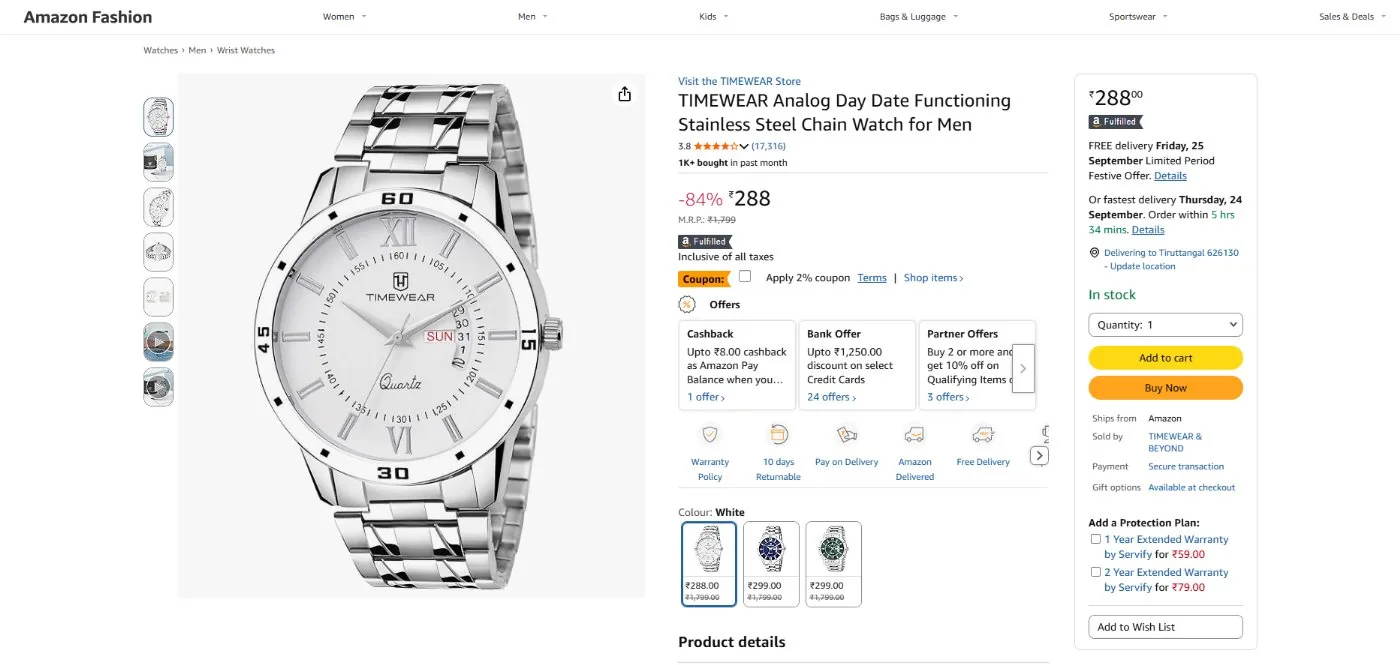
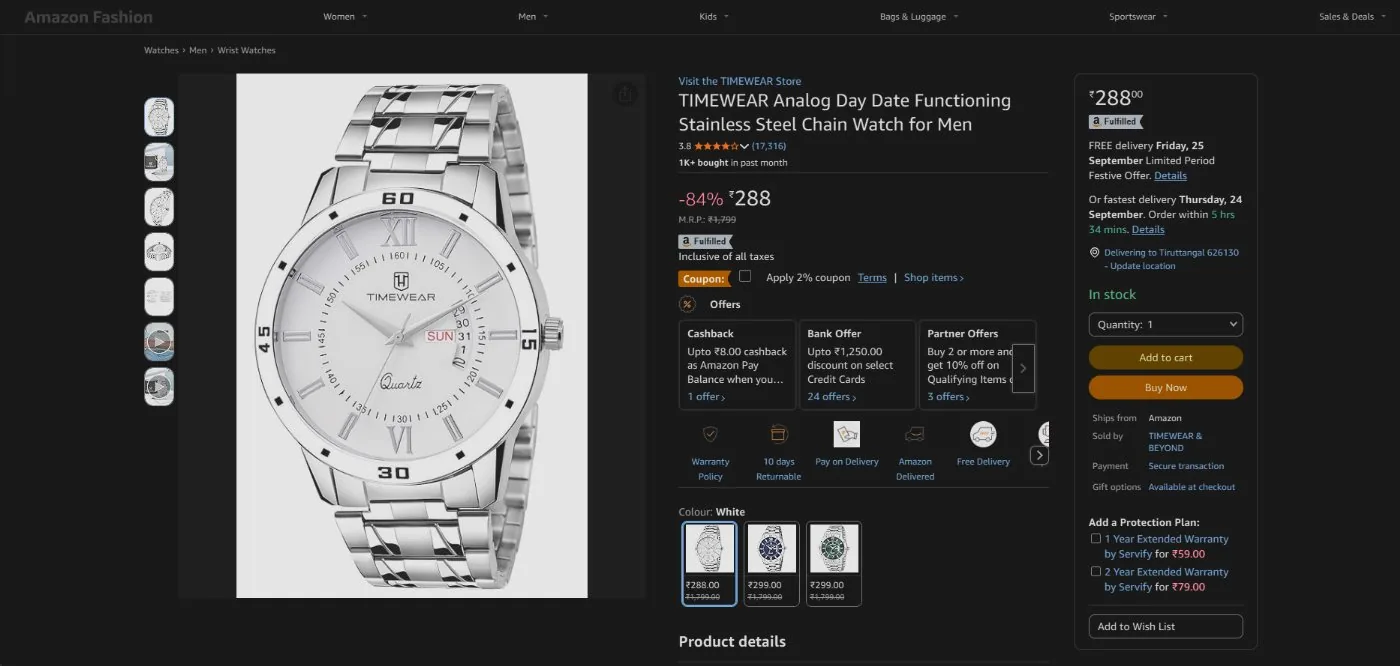
The chrome around the product goes dark: header, panels, the offers grid, the buy box. The watch stays silver, the thumbnails stay accurate, and the colour swatches still show the colours you are choosing between.
Option 1: Chrome's built-in flag
Chrome has an experimental setting that darkens web pages:
- Go to
chrome://flags/#enable-force-dark. - Set Auto Dark Mode for Web Contents to Enabled.
- Relaunch Chrome.
This will darken Amazon. It will also darken every other site, with no way to exclude one, and it is an experimental flag that can be removed in any Chrome release. Image handling is left to Chrome's algorithm, which is more conservative than it sounds, so it is worth a try before you install anything. It is covered in full in which Chrome setting actually darkens websites.
Option 2: A dark mode extension
- Install GoDarkMode from the Chrome Web Store.
- Open Amazon. It is already dark. Dark mode is on everywhere from the moment it installs.
- If you want the web bright again, click the toolbar button. The switch is global, so that turns it off everywhere rather than for Amazon alone.
Three things do the heavy lifting on a page like Amazon:
- Images, video and frames are flipped back to their real colours after the page-wide inversion, so photography survives.
- Photos set as CSS backgrounds are detected too. Retail pages put a lot of imagery in
background-imageinstead of<img>, and that is where most extensions leave negatives behind. Large background images that carry no text get restored. - The background is not pure black. Amazon's pages are dense, and pure black behind bright product shots is harsher than it needs to be. The floor settles at
#121212, which keeps white text white while taking the glare off.
What about the Amazon app?
On Android and iOS, the Amazon shopping app follows your system theme. Set your phone to dark and the app follows. That is a different thing from the website, and no browser extension is involved. Chrome on mobile cannot run extensions at all.
Does this work on other shopping sites?
Yes, and the photo problem is the same everywhere: eBay, Etsy, marketplace listings, anywhere the product picture is the point. The behaviour described here is not Amazon-specific. It is how the extension treats any page. Amazon is just the clearest demonstration, because a shopping page is the fastest way to notice when an extension gets images wrong.
One honest limit: no extension can change pages the browser will not let it touch. The Chrome Web Store, chrome:// pages and other extension stores always stay light, whatever you install.